


AI Clothes Try-On: DressTry
3.729.00 Reviews
App Specs
- Version
- 1.8.0
- Updated On
- License
- Free
- Downloads
- 100,000+
- Developer
- Glovo Studio
- Categories
- Beauty
- Platform
- Android, iOS
Screenshots
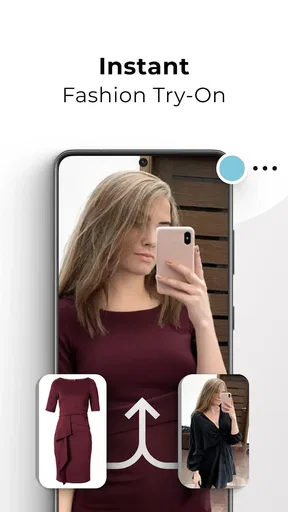
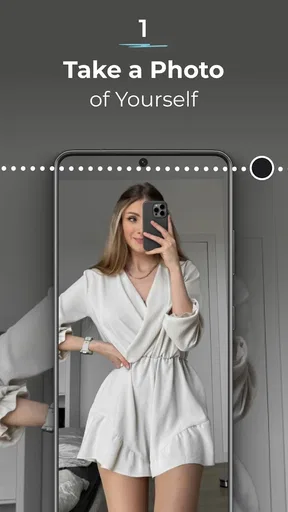
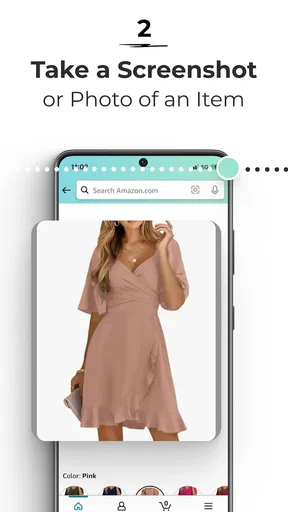
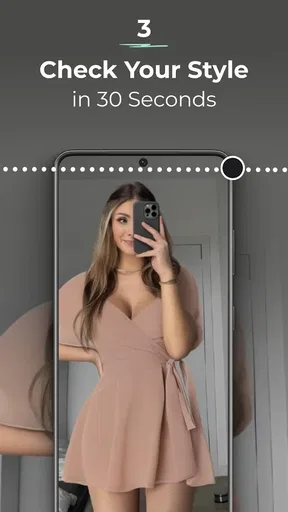
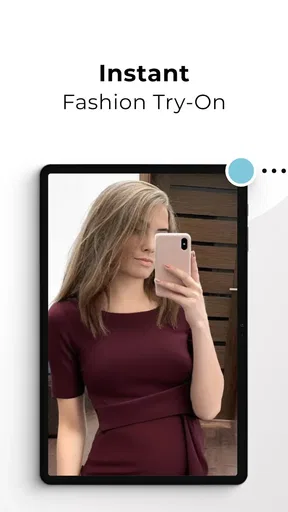
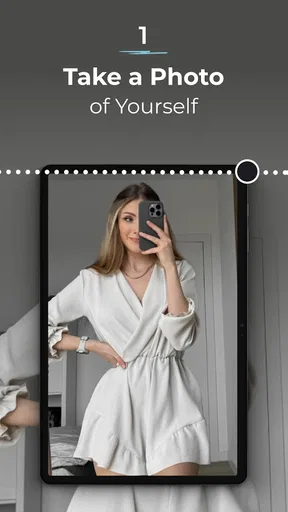
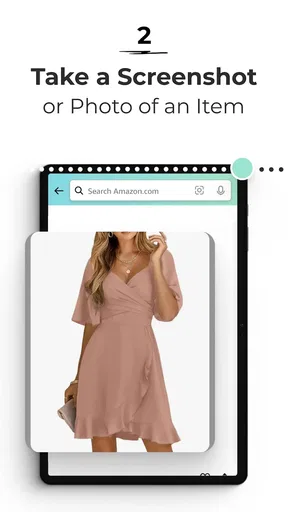
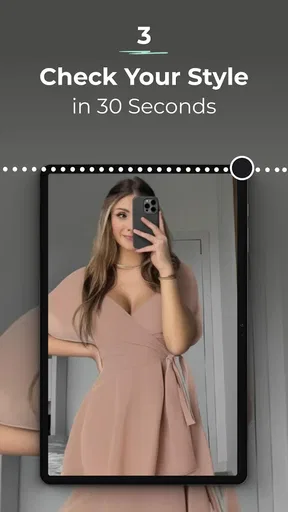
 Analysis by AppCompare
Sharing a phone while deciding what to wear can turn a simple outfit check into a small household project. I found AI Clothes Try-On: DressTry most useful as a way to explore looks and compare ideas at home, rather than as a substitute for seeing real clothes in person. That distinction matters: a generated preview can help me narrow down what I like, but it cannot tell me how a fabric feels or guarantee how a garment will fit.
A shared screen, with personal boundaries
In a household, the app can be handy when someone wants another opinion before choosing an outfit. One person can explore a look, then show the result to a partner or friend for a quick reaction. I would treat that as a conversation around the screen, not assume that a shared device automatically means everyone has a separate private wardrobe or profile.
Before letting someone else use it, I would check what is currently visible in the app and make sure the person is comfortable with any image or personal details involved. That is especially sensible on a family tablet or a phone passed between people. A virtual try-on is personal by nature, so I would avoid leaving a photo open for the next person to stumble across.
Make the try-on useful, not just entertaining
The best way I found to use a clothing preview is to start with a specific decision. If I am choosing between a familiar outfit and a new style, I can use the preview to compare the overall look before committing time to shopping. It is less helpful when I expect it to settle every practical question, such as whether a sleeve will feel comfortable or a waistband will sit right through a full day.
A useful workflow is to try one look at a time and judge the shape, color impression, and overall combination separately. If I change several things at once, it becomes harder to tell what actually improved the outfit. I would also keep a real reference photo of clothing I already own in mind: the digital result can inspire a combination, but it should not be treated as a precise measurement or a promise about how a product will appear in person.
That makes the app particularly suited to people who enjoy experimenting with style, want a quick visual prompt, or feel uncertain about pairing pieces. It is less suitable for someone whose main need is dependable sizing, detailed fabric information, or a guaranteed match to an item they plan to buy. For those decisions, checking product details and trying clothes on in person remain more reliable.
When a second opinion helps
Imagine getting ready for a dinner and wondering whether a new combination looks too formal. Instead of sending several separate clothing photos to a friend, I could use DressTry to explore the look and share a favorite result for feedback. That makes the discussion more concrete: the other person can react to the overall outfit, while I still make the final choice based on comfort, weather, and what I actually have available.
Worth Reading Before You Choose

EA SPORTS FC Mobile 26 Is a Bigger Football Game, but It Takes Time

Flipboard Shows What News Apps Must Do Beyond the Feed

Switching to Android Auto Means Rethinking Your Driving Routine

Google Calendar Makes a Crowded Week Easier to Manage

Ludo King Makes the Most of the Minutes Between Plans

Baby Panda World Brings Quick Play to Modern Phones, but Its Game Library Feels Busy
For a shared household, this kind of coordination can be useful when two people are planning outfits for the same event or helping one another choose a gift. I would keep the task focused: agree on the occasion, show a couple of options, and make the decision together. The app can support that exchange, but it should not be mistaken for a household organizer or a tool that automatically manages everyone’s preferences.
What the preview can and cannot settle
Compared with the usual approach of browsing store pages or holding items up in front of a mirror, a virtual try-on offers a quicker way to picture a style on an image. A store page is often better for checking the actual product description, while a mirror and a physical fitting room are better for judging movement, comfort, and texture. I see DressTry as a useful middle step: it can help me decide what is worth investigating, not replace those checks.
There is also a trade-off between speed and confidence. A visual result may make it easier to imagine an outfit, but if the image or pose does not resemble the way I normally wear clothes, I would give the result less weight. I would use it to compare broad styling choices rather than make a purchase based on a single generated image. That small adjustment keeps the tool helpful without asking it to do more than it can.
If a result looks off, I would first simplify the comparison rather than keep changing many details at once. A clear, straightforward outfit gives me a better basis for judging the general effect. The point is not to chase a perfect image; it is to get a useful idea of whether a style is worth trying in real life.
Age, trust, and shared devices
DressTry is listed for everyone, but an age label does not remove the need for ordinary care when a young person uses a camera-based fashion app. I would stay nearby if a child is using a shared device, explain that a digital preview is not a real fitting, and help them avoid treating an image as a judgment of their body. The most constructive use is playful experimentation with clothes and colors, not pressure to look a certain way.
I would also keep account boundaries simple. If several people use one phone, it is worth checking who is signed in and what remains on screen before handing it over. I would not assume that a shared device separates people’s activity for them. For anyone uncomfortable with using personal images in an app, skipping the try-on and sticking to ordinary clothing browsing is a reasonable choice.
As a beauty and style app from Glovo Studio, DressTry has a clear appeal for people who like trying ideas visually. It is free to install, has an Everyone content rating, and includes optional in-app purchases priced from $3.99 to $43.99 per item. I would look at the available purchase choices before paying for anything and consider whether the free experience already meets my needs. The app has a 3.8 average from around 650 ratings, with over 100,000 installs, so it has attracted a meaningful audience without making its feedback record a guarantee of personal fit.
The current version is 1.6.1, and it requires Android 7.0 or later. It was released on May 12, 2024. Those details are useful when checking whether an older household phone can run it, especially if you plan to pass the device around. I would make sure the app is up to date before trying it, rather than relying on an old installation to behave exactly like the current one.
Getting Started with DressTry
First things first, downloading DressTry is a breeze. Available on both Android and iOS, you can find it easily in your app store. Once installed, the app welcomes you with a sleek and intuitive interface. It's like stepping into a virtual wardrobe where possibilities are endless.
Setting up your profile is straightforward. Just a few clicks to enter your measurements, and you're good to go. The app uses AI to tailor the experience specifically to your size, which is pretty impressive. It felt like having a personal stylist at my fingertips.
The Virtual Try-On Experience
Now, this is where the magic happens. With just a tap, you can start trying on different outfits. The app uses augmented reality to overlay clothes onto your image. The accuracy of the fit is surprisingly good. I tried on several dresses and was impressed by how well the app captured the nuances of each piece.
The variety of clothing is another strong point. From casual wear to formal attire, there's something for everyone. It's like having a mall in your pocket, minus the crowds and long lines. Shopping has never been this convenient.
Features That Stand Out
One feature that really caught my eye is the option to mix and match outfits. You can pair tops and bottoms from different brands to create your own unique style. It's a playground for fashion enthusiasts.
The app also offers recommendations based on your previous choices. It's like having a fashion guru who knows exactly what you love. Plus, the ability to share your favorite looks with friends is a nice touch, making it easy to get a second opinion.
Things to Keep in Mind
While DressTry is pretty amazing, it's not perfect. Some users might find the selection limited compared to browsing in a physical store. However, the developers seem committed to expanding their inventory, so this might improve over time.
Also, remember that while the app does a fantastic job of simulating the fit, it can't replicate the feel of the fabric. So, if texture is important to you, this might be a slight drawback.
Final Thoughts
Overall, AI Clothes Try-On: DressTry is a game-changer for anyone who loves fashion but hates the hassle of shopping in person. It's user-friendly, innovative, and offers a glimpse into the future of shopping. Whether you're a fashionista or just someone looking to update your wardrobe, this app is definitely worth a try.
Ready to give it a go? Download it now and start exploring your new virtual closet!
Who I would recommend it to
I would recommend DressTry to someone who enjoys testing different outfit ideas but does not want to make every decision by scrolling through product photos. It is especially appealing if you already have a particular occasion in mind and want a visual starting point before browsing shops or asking a friend. The app is less compelling if you only want a factual comparison of garment dimensions, because a generated image cannot replace a size chart or an in-person fitting.
My household verdict is that it works best as a shared conversation starter, with each person keeping control of their own image and choices. I would use it to narrow down a style, then rely on real-world checks for fit and comfort. If you approach it with that boundary, it can make outfit planning more playful and focused; if you need certainty before buying, a retailer’s product information or a fitting room is the better next step.
Pros
- Easy-to-use interface for quick outfit selection.
- Wide variety of clothing styles and brands.
- Realistic fitting using advanced AI technology.
- Option to save and share outfit combinations.
- Frequent updates with new clothing collections.
Cons
- Requires a stable internet connection.
- Limited options for customizing avatars.
- Some outfits may not render accurately.
- Premium features locked behind a paywall.
- Initial load times can be slow.
FAQs for AI Clothes Try-On: DressTry
What is AI Clothes Try-On: DressTry and how does it work?
AI Clothes Try-On: DressTry is an innovative application that allows users to virtually try on clothes using augmented reality technology. By utilizing your smartphone's camera, the app overlays digital clothing onto your image, providing a realistic preview of how outfits will look without needing to visit a store. This is achieved through advanced AI algorithms that ensure the clothing fits your body shape and size accurately.
Is AI Clothes Try-On: DressTry free to use, or are there in-app purchases?
AI Clothes Try-On: DressTry is available as a free download, offering a selection of clothing items to try on at no cost. However, the app includes in-app purchases that unlock premium features, such as exclusive clothing collections, enhanced customization options, and an ad-free experience. These purchases are optional and designed to enhance the user's experience.
How accurate is the virtual try-on feature in AI Clothes Try-On: DressTry?
The virtual try-on feature in AI Clothes Try-On: DressTry is highly accurate, thanks to its use of cutting-edge AI and machine learning technologies. The app captures detailed body measurements to ensure a realistic fit. While it provides a close approximation, minor variations may occur due to lighting conditions and camera quality.
What devices are compatible with AI Clothes Try-On: DressTry?
AI Clothes Try-On: DressTry is compatible with most modern Android and iOS devices. It requires a device with a functioning camera and the capabilities to run augmented reality applications. It is recommended to check the app store listing for the specific system requirements to ensure optimal performance on your device.
Is my personal data secure when using AI Clothes Try-On: DressTry?
AI Clothes Try-On: DressTry prioritizes user privacy and data security. The app complies with data protection regulations and implements encryption to safeguard personal information. Users are encouraged to review the app's privacy policy to understand how their data is collected, used, and stored. Rest assured, sensitive information is treated with the utmost care.


